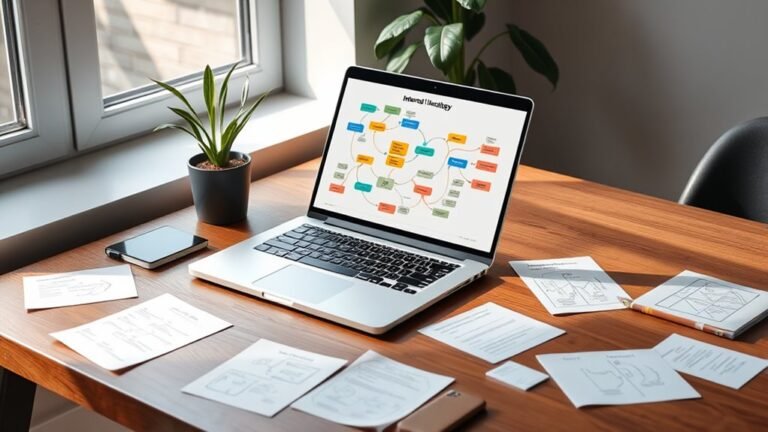
Internal Linking Strategy for E-commerce Stores
An effective internal linking strategy for your e-commerce store is essential for guiding users and enhancing SEO performance. Start by analyzing your current link structure to identify key pages and orphaned content. Then, create a strategic plan that connects related products using descriptive anchor text. Utilizing category pages and incorporating links in product descriptions can improve navigation. By monitoring and adjusting your internal links regularly, you’ll optimize user experience and drive conversions. Discover further insights on implementation next.
Understanding the Importance of Internal Linking
Internal linking is a cornerstone of effective e-commerce SEO strategy, yet it’s often overlooked. When you strategically place internal links, you’re not just guiding users through your site; you’re also distributing link equity. This process enhances the visibility of important pages, ensuring they rank higher in search results. By doing so, you’re creating a more seamless user experience, allowing visitors to discover related products or content without friction.
Think of internal links as pathways; they lead customers to their desired destinations while also showcasing your brand’s breadth. This improves engagement, reduces bounce rates, and keeps potential buyers on your site longer. In an e-commerce environment, where every click counts, prioritizing internal linking can empower customers to explore freely and make informed decisions. Ultimately, a thoughtful internal linking strategy can markedly boost your site’s performance and enhance overall satisfaction, all while preserving the freedom users crave.
Analyzing Your Current Link Structure
While analyzing your current link structure might seem challenging, it’s crucial for optimizing your e-commerce site. A thorough link analysis helps you identify strengths and weaknesses, paving the way for better user experience and SEO. Here’s how to conduct an effective structure evaluation:
Analyzing your link structure is vital for enhancing your e-commerce site’s performance and SEO.
- Identify Key Pages: Determine which pages generate the most traffic and conversions.
- Check for Orphaned Pages: Find pages that aren’t linked from anywhere else, as they’re often neglected.
- Assess Link Distribution: Confirm that your internal links aren’t concentrated on just a few pages; a balanced distribution is essential.
- Analyze Anchor Text: Review the anchor text used in your links to confirm it’s relevant and descriptive.
Creating a Strategic Internal Linking Plan
When planning your internal linking strategy, it’s essential to understand the importance of internal links in enhancing user experience and SEO. You’ll want to familiarize yourself with best practices that can optimize your link structure, ensuring that your most valuable pages receive the attention they deserve. Additionally, leveraging tools for implementation can streamline this process, making it easier to track and refine your linking efforts.
Importance of Internal Links
Effective internal linking is essential for e-commerce stores, as it not only enhances user navigation but also boosts search engine optimization (SEO). By strategically implementing internal links, you can increase link authority and improve user engagement on your site. Here are four key benefits of internal links:
- Guided Navigation: Help users find related products easily, enhancing their shopping experience.
- SEO Advantages: Distribute link authority across your site, improving overall search rankings.
- Reduced Bounce Rate: Keep visitors on your site longer by encouraging them to explore more pages.
- Content Discovery: Highlight valuable content that might otherwise be overlooked, maximizing its potential.
With a well-planned internal linking strategy, you can create a more cohesive, user-friendly environment that drives conversions.
Best Practices Overview
To create a successful internal linking plan for your e-commerce store, it is crucial to prioritize strategy over randomness. Start by establishing a clear linking hierarchy, which outlines the relationships between your pages. This approach helps direct users to relevant content, enhancing user experience while guiding them along their buying journey. Focus on creating links that connect related products, categories, and informative resources, ensuring each link serves a purpose. Use descriptive anchor text that clearly indicates where the link leads, increasing both usability and SEO value. Regularly review and update your internal links to maintain relevance and adapt to changes in your inventory. By implementing these best practices, you’ll create a seamless navigation experience that empowers users to explore and purchase with ease.
Tools for Implementation
While it’s essential to have a clear strategy for internal linking, choosing the right tools can greatly streamline the implementation process. Here are four key internal linking tools that can enhance your e-commerce software:
- Ahrefs: Analyze your site’s structure and discover linking opportunities.
- SEMrush: Audit your internal links and identify areas for improvement.
- Screaming Frog: Crawl your website to visualize your internal linking architecture.
- Link Whisper: Suggests relevant internal links while you write, improving efficiency.
Using these tools not only simplifies the linking process but also empowers you to enhance your site’s SEO performance. Embrace these resources to create a more interconnected and user-friendly e-commerce experience, granting you the freedom to grow your online presence strategically.
Linking Related Products for Enhanced Discovery
How can linking related products transform the shopping experience on your e-commerce site? By strategically implementing internal links, you create a seamless flow that enhances product discovery. When customers explore product recommendations, they’re more likely to uncover complementary items, increasing their overall satisfaction. This not only enriches their user experience but also drives higher conversion rates.
Consider your customers’ journey: if they’re viewing a specific item, linking to similar products encourages them to explore further without feeling overwhelmed. This approach fosters a sense of freedom in their shopping experience, allowing them to make informed choices based on their interests.
Moreover, effective internal linking can guide customers through the sales funnel, nudging them toward additional purchases they might not have considered. Ultimately, by thoughtfully linking related products, you empower your customers to discover more, enhancing their overall shopping experience while boosting your store’s revenue potential.
Utilizing Category Pages for Improved Navigation
Linking related products is just one aspect of enhancing the user experience; utilizing category pages plays a pivotal role in improving navigation throughout your e-commerce site. Effective category page optimization guarantees visitors can find what they need effortlessly, leading to increased conversions. Here are four strategies to enhance navigation through category pages:
- Clear Hierarchy: Organize products logically to simplify browsing.
- Descriptive Labels: Use intuitive names for categories to minimize confusion.
- Filters and Sorting Options: Allow users to refine their searches based on preferences.
- Internal Links: Include links to related categories or subcategories for seamless exploration.
Implementing these strategies not only aids user experience enhancement but also encourages deeper engagement with your site. By prioritizing category page optimization, you create an environment that fosters freedom in navigation, allowing customers to explore your offerings with ease.
Implementing Breadcrumbs for User Guidance
As you enhance your e-commerce site’s navigation, implementing breadcrumbs can provide a powerful tool for user guidance. Breadcrumb navigation not only shows users their current location on your site but also offers a clear path back to previous categories. This strategic approach considerably improves user experience by reducing confusion and helping visitors understand the hierarchy of your content.
When you incorporate breadcrumbs, make sure they’re visible and intuitive, allowing users to navigate effortlessly between product categories. This freedom of movement encourages exploration, which can lead to increased engagement and, ultimately, higher conversions.
Additionally, breadcrumbs can enhance your site’s SEO by creating a structured link hierarchy, making it easier for search engines to crawl your pages. By optimizing this simple yet effective tool, you’ll provide users with clarity and a seamless shopping journey, making them more likely to return to your site in the future.
Incorporating Internal Links in Product Descriptions
While you might think of product descriptions as standalone elements, incorporating internal links within them can greatly enhance both user experience and SEO. By strategically adding links, you can guide customers to related products, boosting engagement and sales. Here are four key ways to do it:
- Highlight Related Items: Link to similar products to encourage exploration.
- Showcase Product Highlights: Use links to direct users to pages detailing unique features or benefits.
- Encourage Customer Reviews: Link to review sections to build trust and inform purchasing decisions.
- Create Cross-Selling Opportunities: Suggest complementary items to enhance the shopping experience.
Leveraging Blog Content to Drive Traffic
To effectively leverage blog content for driving traffic, you’ll need to focus on optimizing your posts for relevant keywords and user intent. By strategically placing internal links within your articles, you can guide readers to key product pages, enhancing their shopping experience while improving your site’s SEO. This approach not only attracts potential customers but also keeps them engaged with your brand.
Blog Post Optimization
When you optimize your blog posts effectively, you can greatly enhance your e-commerce store’s visibility and traffic. Focus on these key strategies to improve your blog structure and user experience:
- Keyword Targeting: Identify relevant keywords to boost SEO benefits.
- Content Relevance: Ascertain your posts address user needs and interests, enhancing user engagement.
- Linking Hierarchy: Create a clear linking hierarchy to improve navigation flow and distribute page authority.
- Conversion Optimization: Optimize calls-to-action within your posts to drive conversions.
Strategic Link Placement
Effective strategic link placement within your blog content can markedly enhance traffic to your e-commerce store. By embedding links to relevant product pages within your posts, you create a pathway for readers to explore further. Prioritize high-traffic blog posts; these serve as prime real estate for strategic navigation. Consider the context—ensure that links feel natural and provide value, guiding your audience seamlessly from content to product. Use analytics to track which links drive the most engagement, allowing you to refine your strategy over time. Ultimately, smart link placement not only enhances user experience but also increases conversion potential, empowering your audience with the freedom to discover and shop with ease.
Monitoring and Adjusting Your Internal Links
While an internal linking strategy can greatly enhance your e-commerce store’s SEO and user experience, it’s essential to regularly monitor and adjust these links to confirm they remain effective. By conducting ongoing traffic analysis, you can evaluate link performance and make informed decisions. Here are four steps to help you refine your internal links:
An effective internal linking strategy requires regular monitoring and adjustments to enhance SEO and user experience.
- Review Analytics: Check your website’s traffic data to identify high and low-performing links.
- Update Links: Replace or modify links that aren’t driving traffic to more relevant or popular pages.
- Test User Experience: Confirm the links lead to valuable content that enhances the overall shopping experience.
- Adjust for SEO Trends: Stay informed on SEO changes to adapt your linking strategy accordingly.
Best Practices for Effective Internal Linking
To create an effective internal linking strategy, you need to link relevant products that enhance your site’s navigability and user experience. Additionally, optimizing your anchor text is essential; it should be descriptive and contextually appropriate to improve both SEO and user understanding. By focusing on these best practices, you’ll strengthen your site’s structure and drive conversions more effectively.
Link Relevant Products
Linking relevant products is essential for guiding customers through their shopping journey and enhancing their overall experience. By strategically linking related product suggestions, you can create effective cross selling opportunities that not only boost sales but also keep customers engaged. Here are some best practices to reflect upon:
- Group Similar Items: Link products within the same category or with complementary features.
- Highlight Accessories: Suggest related accessories that enhance the main product.
- Utilize Customer Behavior: Analyze purchase patterns to recommend items frequently bought together.
- Create Themed Collections: Curate collections based on trends or seasonal themes to inspire purchases.
These tactics will help you create a seamless shopping experience, allowing customers the freedom to discover products they’ll love.
Optimize Anchor Text
Effective internal linking hinges on the careful optimization of anchor text, as it serves as both a navigational tool and a signal to search engines about the relevance of linked content. To enhance your e-commerce store’s visibility, utilize anchor text variations that convey the essence of the linked page. Avoid generic phrases like “click here”; instead, use descriptive keywords that reflect keyword relevance and improve user experience. Aim for a natural flow in your text, ensuring each anchor text seamlessly integrates with surrounding content. This not only guides your customers but also helps search engines understand the context of your links, ultimately empowering your store’s SEO strategy. Balancing clarity and strategic keyword usage will set you free from common pitfalls in internal linking.
Frequently Asked Questions
How Does Internal Linking Affect SEO Rankings for My Store?
Internal linking greatly boosts your store’s SEO rankings by enhancing link equity and crawl efficiency. When you strategically link related pages, it distributes authority throughout your site, guiding search engines to your most valuable content. This not only improves visibility but also keeps users engaged, increasing conversion chances. By optimizing your internal links, you’re freeing your store’s potential, allowing it to climb search rankings and reach a broader audience effectively.
Can Internal Linking Improve User Engagement on My Website?
Absolutely, internal linking can greatly boost user engagement on your website. For instance, imagine a customer exploring your outdoor gear section. By linking related products, like tents and sleeping bags, you enhance their experience, guiding them through their customer journey. This not only keeps them on your site longer but also increases the chances of a purchase. When users find relevant content easily, it creates a seamless experience that encourages exploration and increases satisfaction.
What Tools Can Help Analyze My Internal Linking Strategy?
To analyze your internal linking strategy, consider tools like Screaming Frog for link analysis, and Ahrefs or SEMrush for tool comparison. These platforms provide insights into link structure, identify broken links, and highlight opportunities for improvement. Using these tools strategically can enhance your website’s SEO and user engagement, giving you the freedom to optimize your content effectively. Make data-driven decisions to refine your internal linking and boost overall performance.
How Often Should I Update My Internal Links?
Think of your internal links like the threads of a spider’s web, connecting everything together. You should update your internal links regularly, ideally quarterly, to guarantee link relevance and effective internal link maintenance. This keeps your content fresh and enhances user experience. If you add new pages or products, update your links immediately. Staying proactive not only strengthens your site’s structure but also grants you the freedom to adapt to changing trends and improve SEO.
Is There a Limit to the Number of Internal Links per Page?
There isn’t a strict limit to the number of internal links per page, but it’s essential to take into account page optimization. Excessive linking can dilute the value of each link and overwhelm your audience. Aim for a strategic approach; prioritize quality over quantity. By maintaining a balance, you guarantee each link serves a purpose, enhancing user experience and SEO. Remember, linking limits should enhance freedom of navigation, not hinder it.