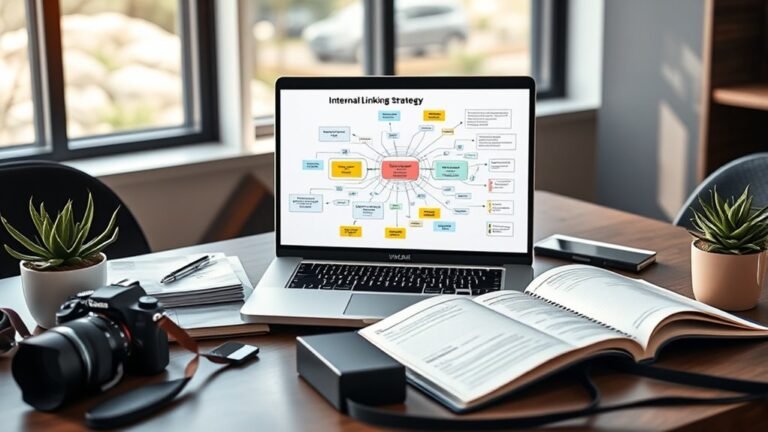
What Is an Internal Link Structure?
An internal link structure refers to how links connect various pages within your website, impacting both navigation and search engine optimization. It’s essential for guiding users through content and enhancing their experience. A well-organized structure facilitates efficient crawling and indexing by search engines, while also distributing page authority. To maximize its effectiveness, consider adopting strategic practices and tools. By understanding the nuances of your internal linking, you can uncover opportunities for improvement.
Understanding Internal Links
While you might think of internal links as mere navigation tools, they play an indispensable role in enhancing your site’s SEO and user experience. Internal links guide users through your content, fostering engagement and reducing bounce rates. However, their strategic implementation is key.
Link relevance is important; connections between related pages can improve your site’s authority and help search engines understand your content’s hierarchy. When you use anchor text effectively, it serves as a contextual clue, informing both users and search algorithms about the topic of the linked page. By choosing descriptive, keyword-rich anchor text, you not only optimize for search engines but also create a more intuitive experience for your audience.
Ultimately, a well-structured internal linking strategy can provide users the freedom to explore your site while enhancing its overall SEO performance, making it a significant component of your digital strategy.
Importance of Internal Link Structure
Although many website owners underestimate its significance, a well-organized internal link structure is essential for both search engine optimization and user navigation. This strategic framework not only enhances SEO benefits but also elevates the overall user experience. When you effectively interlink your content, search engines can crawl your site more efficiently, allowing them to index your pages accurately.
This structure helps distribute page authority, improving the visibility of your most important content. Additionally, a clear internal linking strategy guides users seamlessly through your site, reducing bounce rates and increasing engagement.
Best Practices for Creating Internal Links
To create an effective internal linking strategy, you need to contemplate several best practices that can maximize both SEO and user experience. First, make sure that your links maintain strong link relevance; they should connect related content to guide users intuitively through your site. Next, pay attention to your anchor text—it should be descriptive and keyword-rich, helping both users and search engines understand the linked content’s context.
Aim for a balanced distribution of internal links across your site, avoiding over-optimization on any single page. This not only enhances navigability but also distributes link equity effectively. Additionally, consider the depth of your links; aim to link to older content occasionally, keeping it fresh in users’ minds. Finally, regularly audit your internal links to fix broken links and update outdated references. By following these practices, you’ll cultivate a strategic internal link structure that supports user freedom while optimizing your site for search engines.
Tools for Analyzing Internal Link Structure
When you’re looking to enhance your internal link structure, utilizing the right tools can provide invaluable insights. Effective internal link analysis is vital for optimizing your site’s navigation and improving SEO. Here are some essential link structure tools to take into account:
Enhancing your internal link structure is crucial for optimizing navigation and boosting SEO. Utilize the right tools for valuable insights.
- Screaming Frog: A powerful crawler that helps identify link relationships across your site.
- Ahrefs: Offers thorough link analysis, highlighting internal linking opportunities and gaps.
- Google Search Console: Provides insights into how Google sees your internal links, helping you pinpoint issues.
- Sitebulb: Offers visual representations of your internal link structure, making it easier to strategize.
- Link Explorer: A dedicated tool for analyzing your site’s internal and external links, helping you refine your strategy.
Common Mistakes to Avoid in Internal Linking
While optimizing your internal linking strategy is essential, many website owners fall into common pitfalls that can undermine their efforts. One major mistake is neglecting the linking hierarchy; not all pages hold equal importance. Guarantee your most valuable content is linked from key pages to enhance visibility.
Also, using generic anchor text like “click here” fails to provide context. Instead, use descriptive anchor text that accurately reflects the linked content.
Here’s a quick reference table of common mistakes:
| Mistake | Impact | Solution |
|---|---|---|
| Ignoring linking hierarchy | Poor SEO performance | Prioritize key pages |
| Generic anchor text | Low click-through rates | Use descriptive, relevant phrases |
| Excessive links on pages | User confusion, dilution of authority | Limit to 5-10 strategic links |
| Broken links | Negative user experience and SEO issues | Regularly audit and fix links |
Avoid these pitfalls to refine your internal linking strategy.
Frequently Asked Questions
How Does Internal Linking Affect Page Load Speed?
Internal linking can greatly impact your page speed. Research shows that optimizing links can improve load times by up to 30%. When you strategically place internal links, you’re not just enhancing user experience but also ensuring your page loads faster. Efficient link optimization reduces server requests and increases overall performance. So, by focusing on this aspect, you’ll enjoy a smoother browsing experience, helping you maintain your audience’s attention without unnecessary delays.
Can Internal Links Harm SEO if Overused?
Yes, excessive linking can harm SEO. While internal link optimization is essential for guiding users and search engines, overdoing it can lead to a cluttered experience. You risk diluting the importance of each link, making it harder for search engines to assess content relevance. It’s all about balance; focus on quality over quantity to maintain a clear structure that enhances user experience and boosts your site’s authority without overwhelming visitors.
What Is the Ideal Number of Internal Links per Page?
You should aim for about 3 to 10 internal links per page, depending on content length and complexity. This ideal link distribution helps establish an internal link hierarchy, guiding users and search engines effectively. Too few links might leave your content under-explored, while too many can overwhelm visitors. Striking the right balance empowers you to optimize your SEO strategy while ensuring a seamless user experience, giving your audience the freedom to navigate effortlessly.
Do Internal Links Help With User Engagement Metrics?
Yes, internal links can greatly enhance user engagement metrics. By guiding users to relevant content, you influence their behavior, encouraging them to explore more pages on your site. This not only keeps them on your platform longer but also signals to search engines that your content is interconnected and valuable. Strategically placing these links based on content relevance can create a seamless user experience, ultimately fostering a greater sense of freedom in navigation.
How Often Should I Update Internal Links on My Site?
You should update your internal links regularly, ideally every few months. For instance, imagine a blog post that once drew hundreds of visitors but now has outdated links. By following best practices in link maintenance, you can enhance user experience and keep your content relevant. Regularly evaluating your links not only boosts SEO but also guarantees your audience finds valuable information, granting them the freedom to explore your site seamlessly.