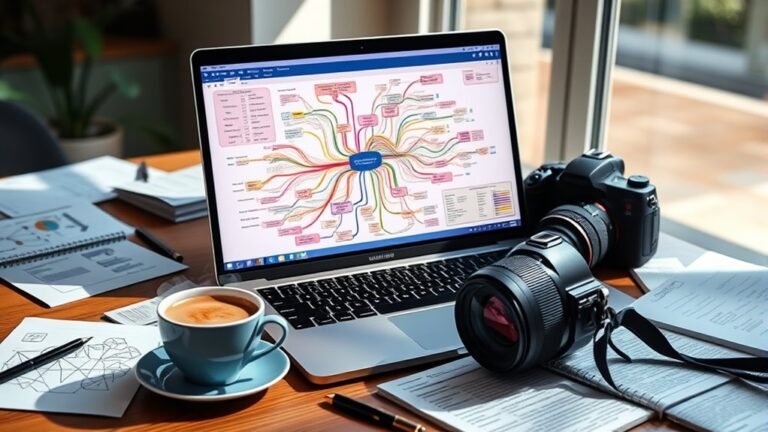
The Impact of Internal Links on WordPress PageRank Flow
Internal links markedly impact WordPress PageRank flow by distributing link equity and improving site navigation for users and search engines. By strategically linking related content, you enhance relevance and signal value. This boosts the authority of both high-ranking and lower-ranking pages, helping improve overall SEO performance. It’s essential to implement best practices and avoid common mistakes to maximize effectiveness. Explore the nuances of internal linking to truly understand how it can optimize your site’s performance.
Understanding PageRank and Its Importance
PageRank, a foundational algorithm in search engine optimization, embodies the principle of link equity. It assigns value to web pages based on the quantity and quality of inbound links, fundamentally measuring their importance. When you understand the PageRank algorithm, you recognize that not all links are created equal; link relevance is essential. High-quality, contextually relevant links can greatly boost a page’s authority and search visibility.
For you, optimizing your content involves leveraging this algorithm effectively. By strategically placing links to authoritative sources, you enhance your site’s credibility and improve its ranking potential. This isn’t just about attracting traffic; it’s about fostering meaningful connections within your content.
In this digital landscape, where freedom of information is paramount, understanding PageRank empowers you to navigate SEO with purpose, ensuring your website stands out in the crowded online space. Embrace these principles to maximize your site’s potential.
The Role of Internal Links in SEO
Internal links play a vital role in enhancing site navigation, making it easier for users and search engines to find relevant content. By strategically placing these links, you can effectively distribute link equity throughout your site, boosting the visibility of important pages. Understanding how to leverage internal links is essential for optimizing your SEO strategy.
Enhancing Site Navigation
Although many factors influence SEO, enhancing site navigation through strategic internal linking can considerably improve user experience and search engine visibility. By creating a well-structured internal linking system, you guide users seamlessly through your content, increasing user engagement. This approach guarantees that visitors find relevant information easily, reducing bounce rates and encouraging longer site visits. Each internal link acts as a bridge, connecting related topics and enhancing the overall coherence of your site. Prioritizing user experience through intuitive navigation not only benefits your audience but also signals to search engines that your site is valuable and user-friendly. Ultimately, this can lead to higher rankings and improved site authority, giving you the freedom to reach a broader audience.
Distributing Link Equity
When you implement a strategic internal linking structure, you’re not just enhancing navigation; you’re also effectively distributing link equity throughout your site. This balance is vital for optimizing your SEO performance. Here’s how internal links make a difference:
- Link Relevance: Guarantees search engines understand the context and importance of each page.
- Anchor Text: Provides clear signals about the linked content, boosting relevancy and improving keyword targeting.
- Page Authority Distribution: Helps less authoritative pages gain visibility by channeling equity from more established ones.
Best Practices for Internal Linking
Effective internal linking is essential not just for enhancing user experience but also for optimizing your site’s SEO performance. To maximize the benefits, follow these best practices:
- Use Descriptive Anchor Text: Guarantee your anchor text is relevant and descriptive. This helps search engines understand the context of your links.
- Establish a Clear Link Hierarchy: Organize your internal links to reflect the structure of your content. This improves navigation and aids search engines in indexing your pages.
- Limit the Number of Links: Too many internal links can dilute value. Focus on quality over quantity.
- Link to Important Pages: Direct more links to high-priority pages to enhance their visibility.
- Regularly Update Links: Check for broken links and update them to maintain a seamless user experience.
| Practice | Importance | Frequency |
|---|---|---|
| Use Descriptive Anchor Text | Enhances context | Always |
| Establish Link Hierarchy | Improves navigation | Regularly |
| Limit Number of Links | Prevents dilution | As needed |
| Link to Important Pages | Boosts visibility | Ongoing |
| Regularly Update Links | Maintains experience | Monthly |
Analyzing the Impact of Internal Links on Page Authority
Internal linking is essential for distributing page authority across your website. By strategically optimizing your internal link structure, you can enhance the visibility and ranking potential of individual pages. Understanding how internal links influence PageRank flow will help you maximize your site’s overall authority.
Importance of Internal Linking
Three key factors influence a webpage’s authority, and internal linking plays an essential role among them. By strategically placing internal links, you can enhance link relevancy and drive user engagement. Here’s why internal linking is important:
- Boosts SEO: Helps search engines crawl and index your site effectively.
- Enhances Navigation: Guides users to related content, improving their experience.
- Distributes Authority: Shares page authority throughout your site, benefiting lower-ranking pages.
With thoughtful internal linking, you create a web of connections that not only supports your SEO strategy but also fosters a user-centric environment. Engaging users through relevant links keeps them on your site longer, increasing the likelihood of conversions and establishing your site as a valuable resource.
Page Authority Distribution
While internal linking is often overlooked, it greatly impacts how page authority is distributed across your website. Each internal link you create serves as a pathway for page authority to flow, enhancing the relevance of linked pages. By strategically placing links, you can direct authority from high-performing pages to those needing a boost. This distribution hinges on link relevance; when the context of your links aligns with the content, it amplifies the authority transferred. Conversely, irrelevant links can dilute page authority, weakening your overall SEO strategy. Consequently, understanding how to balance and optimize internal links can empower you to enhance page authority effectively, ultimately improving visibility and user experience across your site.
Optimizing Internal Link Structure
Understanding the distribution of page authority sets the stage for optimizing internal link structure. You’ve got to be strategic about link placement and anchor text to enhance the flow of PageRank effectively. Here are some key considerations to keep in mind:
- Prioritize high-authority pages: Link from authoritative pages to those needing a boost.
- Utilize relevant anchor text: Choose descriptive and contextually appropriate anchor text to improve understanding and relevance.
- Maintain a natural flow: Guarantee links fit seamlessly into your content, enhancing user experience without appearing forced.
Tools for Managing Internal Links Effectively
As you navigate the complexities of managing internal links, utilizing the right tools can greatly enhance your site’s SEO performance. Effective link management is vital for optimizing PageRank flow, and several tools can streamline this process. For instance, plugins like Link Whisper or Yoast SEO provide insights into your site’s linking structure, helping you identify opportunities to enhance your anchor text.
Analyzing your internal link data helps guarantee that you’re not just linking for the sake of it; you can strategically choose keywords that boost relevance and authority. Tools like Ahrefs or SEMrush can audit your internal links, revealing broken links and suggesting optimizations.
Lastly, consider Google Search Console for monitoring how well your internal links facilitate crawlers. By leveraging these tools, you can maintain a robust internal linking strategy that not only improves SEO but also enhances user experience on your site.
Common Mistakes to Avoid With Internal Linking
When it comes to internal linking, overlooking common mistakes can considerably hinder your site’s SEO potential. Avoiding these common pitfalls is vital for optimizing your link strategy:
- Excessive Linking: Overloading a page with links can dilute link value and confuse users.
- Irrelevant Anchor Text: Using generic or irrelevant anchor text undermines link relevance and user experience.
- Orphan Pages: Failing to link to important content leads to orphan pages, which can’t be discovered by both users and search engines.
Additionally, watch out for keyword stuffing when creating your internal links; it can lead to penalties. Focus on link depth to guarantee important pages receive adequate link equity without overwhelming users. By correcting these mistakes, you’ll enhance your site’s navigability and improve its overall SEO performance. Remember, internal linking isn’t just about SEO; it’s about creating a seamless user experience that encourages exploration.
Frequently Asked Questions
How Do Internal Links Influence User Behavior on My Website?
Internal links notably enhance user engagement on your website by improving navigation. When you strategically place links, you guide visitors to related content, increasing time spent on your site and reducing bounce rates. This seamless navigation fosters a sense of exploration, allowing users to discover more of what interests them. As a result, you’ll not only keep your audience engaged longer but also encourage them to return, creating a loyal user base.
Can Internal Links Affect My Site’s Loading Speed?
Yes, internal links can affect your site’s loading speed. When you optimize internal links, it’s essential to guarantee they don’t lead to excessive redirects or heavy resources. A loading speed analysis reveals that too many links or poorly optimized ones can slow down page rendering. However, when done correctly, they enhance user experience without greatly impacting loading times. Balance is key; prioritize efficiency for both internal linking and overall site performance.
How Often Should I Update Internal Links?
You should update your internal links regularly, ideally every few months. Implementing link rotation strategies keeps your content fresh and relevant. Additionally, don’t forget about anchor text optimization; it enhances user experience and improves SEO. By evaluating your existing links, you can guarantee they lead to valuable content. This practice not only aids in navigation but also supports your overall site structure, giving you the freedom to adapt as your content evolves.
Is There a Limit to the Number of Internal Links per Page?
There isn’t a strict limit to the number of internal links per page, but excessive linking can dilute the value of each link. It’s best to focus on quality over quantity; too many internal links may confuse users and hinder navigation. Aim for a balanced approach, ensuring your links enhance the content rather than overwhelm it. By maintaining clarity and relevance, you can optimize user experience and improve your site’s overall effectiveness.
Do External Links Impact the Effectiveness of Internal Linking?
Yes, external links can greatly impact the effectiveness of your internal linking strategy. When you include high-value external links, it can boost your page’s credibility, indirectly enhancing the value of your internal links. However, be cautious; an over-reliance on external links might divert attention from your internal content. Striking a balance is essential, as it guarantees both external link value and internal link effectiveness contribute positively to your overall SEO efforts.