Internal Linking and Semantic SEO
Internal linking is essential for enhancing your site’s semantic SEO. By connecting related content, you’re not only improving navigation but also helping search engines understand the context of your pages. This interconnectedness boosts content relevance and site authority, aiding in better indexing and visibility. Strategic internal linking encourages users to explore further, increasing engagement. To fully grasp how to optimize your internal linking for maximum effectiveness, there are more insights to uncover in the following sections.
Understanding Internal Linking
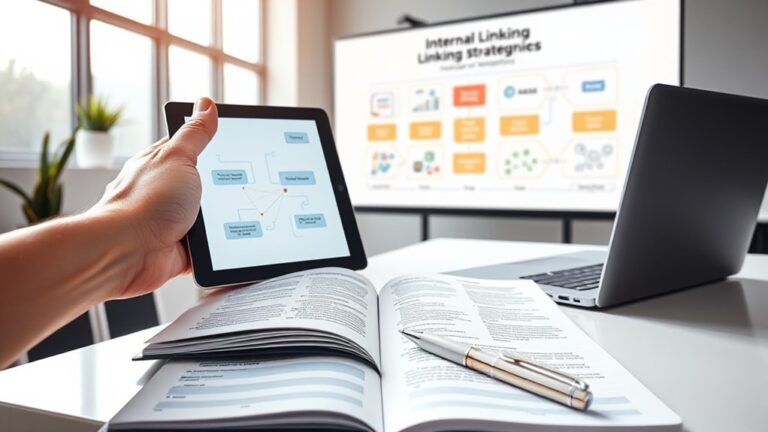
Internal linking serves as the connective tissue of your website, guiding both users and search engines through your content. By employing effective linking strategies, you can create a seamless navigation experience that keeps visitors engaged and encourages exploration. Think about how anchor texts play a critical role here; they should be descriptive and relevant, providing context to the linked content. This not only aids user comprehension but also enhances the perceived value of your pages.
When you strategically link to related articles or resources, you empower users to dive deeper into topics that interest them, fostering a sense of freedom in their exploration. Additionally, a well-structured internal linking approach can reduce bounce rates and increase time spent on your site. By carefully crafting your links and anchor texts, you’re not just directing traffic; you’re orchestrating an experience that resonates with your audience and supports your content’s overall purpose.
The Role of Internal Linking in SEO
Internal linking is essential for enhancing your site’s crawl efficiency, allowing search engines to navigate and index your content more effectively. By strategically distributing page authority through these links, you can improve the visibility of your most important pages. Understanding this dynamic helps you optimize your overall SEO strategy.
Enhancing Crawl Efficiency
While search engines aim to index as much content as possible, enhancing crawl efficiency through effective internal linking is essential for optimizing your site’s visibility. By strategically structuring your link hierarchy, you can guide search engine bots to your most valuable pages, ensuring they utilize your crawl budget wisely. Prioritizing links to high-quality, relevant content not only helps bots navigate your site but also minimizes the risk of important pages being overlooked. When you create a clear path for crawlers, you empower them to index your content more efficiently, ultimately enhancing your site’s performance in search results. Remember, a well-planned internal linking strategy can greatly impact how your pages rank, giving you the freedom to reach your audience more effectively.
Distributing Page Authority
Effective distribution of page authority is essential for maximizing your site’s SEO potential, as it directly influences how search engines perceive the value of your content. By strategically using internal links, you can guide link equity to your most important pages, enhancing their visibility. This means every time you create a new piece of content, think about how it can connect back to high-authority pages within your site. It’s not just about linking; it’s about linking wisely. Confirm your internal links are relevant and contextually appropriate, as this reinforces your site’s overall theme and structure. By doing so, you’re not just distributing page authority; you’re empowering your content to achieve greater freedom in search results.
Benefits of Internal Linking for User Experience
Internal linking substantially enhances your site’s navigation experience, guiding users to relevant content with ease. This strategic approach not only increases content discoverability but also boosts overall site engagement by encouraging visitors to explore more of what you offer. By optimizing your internal links, you create a seamless user journey that keeps your audience engaged and informed.
Enhanced Navigation Experience
When users navigate a website, they expect a seamless experience that allows them to find information quickly and efficiently. Internal linking plays an essential role in enhancing user experience design by creating an intuitive navigation structure. By strategically placing links within your content, you guide users through a logical flow, making it easier for them to explore related topics and uncover valuable insights. This not only reduces frustration but also empowers users to engage more deeply with your content. Additionally, an effective internal linking strategy helps establish a clear hierarchy, ensuring that users can easily discern important information. Ultimately, by focusing on enhanced navigation, you provide a liberating experience that encourages exploration and fosters a connection between users and your website.
Increased Content Discoverability
By strategically incorporating internal links throughout your content, you can considerably boost content discoverability, allowing users to uncover relevant information they might not have initially sought. This approach not only enhances content visibility but also aligns with the preferences of search algorithms that favor interconnected content. By guiding users through related topics, you create a pathway for deeper exploration, satisfying their quest for knowledge. Internal links act as signposts, drawing attention to valuable resources and insights, thereby enriching the user experience. Ultimately, this fosters a sense of freedom for users, empowering them to navigate your site organically. In doing so, you’re not only aiding their journey but also improving your site’s overall SEO performance.
Improved Site Engagement
Building on the enhanced content discoverability achieved through effective internal linking, improved site engagement emerges as a significant benefit. By strategically implementing user engagement strategies, you can create a more interactive experience for your visitors. Here are four key advantages:
- Increased Time on Site: Internal links encourage users to explore more pages, boosting session duration.
- Reduced Bounce Rate: Engaging content keeps users from leaving after just one page.
- Enhanced Navigation: Clear pathways through your site improve user satisfaction and behavior analysis.
- Greater Content Relevance: Internal linking connects related topics, enhancing the overall user experience.
How Internal Links Influence Crawling and Indexing
Although many factors contribute to effective crawling and indexing, internal links play an essential role in guiding search engine bots through your website. These links influence crawling behavior by creating a structured pathway, allowing bots to navigate more efficiently. When you strategically place internal links, you’re signaling to these bots where to focus their attention, which can greatly enhance indexing speed.
Without a clear internal linking structure, search engines may struggle to discover and index your content, leading to missed opportunities for visibility. Think of internal links as a roadmap; they direct bots to important pages, ensuring that your valuable content gets the exposure it deserves. By optimizing your internal links, you not only improve the user experience but also empower search engines to evaluate your site more effectively. Ultimately, a well-planned internal linking strategy can free your content from obscurity and elevate its potential in search results.
Best Practices for Internal Linking Strategies
A well-structured internal linking strategy is essential for maximizing the potential of your website’s content. By implementing best practices, you can enhance user pathways and improve SEO. Here are four key strategies:
- Use Descriptive Anchor Text: Make sure your anchor text is relevant and keyword-targeted, providing context for both users and search engines.
- Establish a Clear Link Hierarchy: Organize your links to create a logical flow, ensuring that important pages are prioritized within your link structure.
- Focus on Contextual Relevance: Position links within content that naturally relates to the topics, enhancing the user’s experience and SEO impact.
- Optimize Link Placement: Strategically place your internal links where they’re most likely to be clicked, such as within the introduction or conclusion of a post.
Enhancing Content Relevance Through Internal Links
When you strategically incorporate internal links, you not only enhance the relevance of your content but also guide users through a cohesive narrative. By employing content clustering, you create a web of interconnected topics that enriches the user experience. This method allows your audience to explore related subjects, deepening their understanding and keeping them engaged longer.
Each internal link acts as a relevance signal to search engines, indicating how your content relates to each other. This can improve your site’s authority and boost rankings. Make sure these links lead to high-quality, complementary content, ensuring that they serve the dual purpose of enhancing user navigation and reinforcing your content strategy.
Internal Linking and Site Structure
While you may focus on creating high-quality content, the effectiveness of your site’s structure often hinges on how well you implement internal linking. A well-thought-out site hierarchy enhances user experience and aids search engines in understanding your content. Here are four key internal link types that can elevate your site structure:
- Hierarchical Links: Connect main topics to subtopics, reinforcing the site hierarchy.
- Contextual Links: Integrate links within your content to provide deeper insights.
- Navigational Links: Help users navigate through your site seamlessly.
- Footer Links: Offer a collection of important pages, supporting your overall site structure.
Measuring the Impact of Internal Linking
To truly understand the effectiveness of your internal linking strategy, it’s essential to measure its impact on user engagement and search engine optimization. Start by analyzing link metrics such as click-through rates and average session duration. These figures can reveal how well your links guide users through your content. Conduct a performance analysis to see which pages are receiving the most internal links and how that correlates with their rankings and traffic.
You might also consider using tools like Google Analytics or dedicated SEO software to track these metrics over time. By observing trends, you can identify which internal links are driving engagement and which might need adjustments. Ultimately, this data empowers you to refine your strategy, ensuring that your internal links not only enhance navigation but also improve your site’s visibility, giving you the freedom to shape an efficient and effective user experience.
Common Mistakes to Avoid in Internal Linking
Although internal linking is a powerful tool for enhancing SEO and user experience, many websites fall into common pitfalls that can undermine their effectiveness. To optimize your strategy, watch out for these mistakes:
Internal linking can greatly improve SEO and user experience, but beware of common pitfalls that can hinder its success.
- Overusing keywords: Stuffing links with keywords can trigger penalties and reduce user trust.
- Neglecting hierarchy: Failing to establish a clear hierarchy can confuse search engines and users alike about your content’s importance.
- Ignoring context: Context matters; irrelevant links distract users and dilute your message.
- Using excessive links: Overloading a page with too many links can lead to poor organization and missed opportunities for key content.
Frequently Asked Questions
How Do I Determine the Ideal Number of Internal Links per Page?
To determine the ideal number of internal links per page, aim for about 3-5 links for optimal link distribution. Studies show that pages with around 10 internal links can increase crawl efficiency by 50%. Focus on content relevance; each link should enhance the user experience and guide readers to related topics. Balancing quality and quantity is key, so prioritize links that add value, ensuring your content remains engaging and navigable.
Can Internal Linking Affect My Site’s Loading Speed?
Yes, internal linking can affect your site’s loading speed. Each link adds a bit of processing time, especially if it leads to heavy pages or resources. However, if you strategically manage the number of links and optimize the linked pages, you can boost site performance without significant slowdowns. Balancing the internal links guarantees that while you’re improving navigation and SEO, you’re also maintaining a fast, user-friendly experience.
Is It Beneficial to Link to Outdated Content?
Linking to outdated content isn’t usually beneficial. While it can pass some link equity, it may confuse your audience or lead to a negative user experience. Instead, consider updating that content or linking to more current resources. This strategy can enhance your site’s authority and relevance. By focusing on fresh, valuable information, you’re not just improving user experience; you’re also ensuring your site stays competitive and aligned with modern search practices.
Should I Use Exact Match Anchor Text for Internal Links?
Using exact match anchor text for internal links can be beneficial, but it’s crucial to balance it with variation. Picture a web of connections—each link should feel natural, not forced. While exact matches can enhance relevance, overusing them might raise red flags for search engines. Instead, mix in descriptive phrases and synonyms to create a more diverse linking strategy. This way, you’ll maintain clarity and provide users with a richer experience without sounding robotic.
How Often Should I Review and Update My Internal Links?
You should review and update your internal links at least every six months. Conducting a thorough link audit during this time guarantees your links remain relevant to your content and align with current SEO practices. Keeping content relevance in mind is essential since outdated links can harm user experience and search engine rankings. Regular updates not only enhance usability but also provide the freedom to adapt your strategy based on evolving audience needs.